





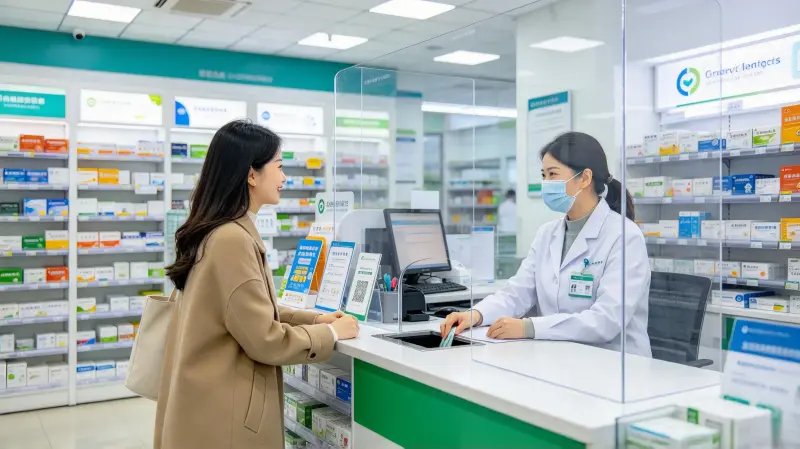
In hospitals, clinics, pharmacies, banks, and government service halls, people have almost all seen a transparent barrier standing on the counter, separating staff from visitors. This panel is mostly a medical isolation PC barrier. It is made of transparent Polycarbonatplatte (PC), standing in front of counters, windows, and consultation desks, blocking droplets, saliva, and splashes, creating a physical barrier between people, and reducing the risk of cross-infection.
Many procurement and facility managers only know they need to buy “transparent panels,” but don’t know what medical isolation PC barriers should be made of, what thickness, how to process it, or how to install it. They end up with wrong sizes, cracking, scratching, yellowing after a short time, or poor light transmission affecting observation.
This article explains medical isolation polycarbonate (PC) barrier application in epidemic prevention scenarios completely: why choose PC sheet, what specifications medical barriers need, how to process them, how to install them, how to clean and maintain them, what certification requirements exist, and how to inspect them. Finally, we give selection advice and FAQ, so hospital facility staff, clinic buyers, and counter project managers can choose, install, and use them correctly.
As a manufacturer providing custom PC sheet processing for medical institutions, banks, pharmacies, and government halls, YUCHENG Board Industry has accumulated plenty of experience in epidemic prevention isolation barrier projects. Customers often bring dimensions and ask, “What thickness?” “Do I need holes,” “how to fix it.” The judging methods and notes in this article are the practical experience we use daily when serving these projects.
1. Why Is PC Sheet the First Choice for Epidemic Prevention Barriers?
Choosing the material is the first and most critical step. Common transparent sheets are Acryl (PMMA), polycarbonate sheet, and ordinary glass, plus PVC and PETG sheets. Why is PC-Blatt the first choice for medical scenarios? Let’s go through it one by one.
1.1 Impact resistance — not easily broken, safe
Medical barriers face constant foot traffic, handling, and bumps, and occasionally people hit them. Ordinary glass shatters on impact and sharp shards hurt people. Acrylic is brittle and may crack under force. Polycarbonat-Platte has impact resistance dozens of times higher than glass and several times higher than acrylic. Under impact, it deforms but doesn’t shatter or splash harmful fragments. In high-traffic hospitals, banks, and counters, this is a life-saving advantage.
1.2 Transparent, good light transmission, doesn’t block observation
PC sheet is transparent plastic with light transmittance around 88%. Standing in front of a counter, staff and visitors can look at each other, communicate, and inspect documents and forms normally. Although slightly less transparent than acrylic, with scratch-resistant treatment it is more than enough for daily use.
1.3 Lightweight, easy to handle and install
PC sheet density is about half of glass. For the same size, PC barriers are much lighter, making handling, installation, and removal easier. One worker can carry a large barrier, lowering installation cost and safety risk.
1.4 Easy to process, customizable to needs
PC sheet can be CNC-machined, thermoformed, and drilled, and made into various shapes per on-site dimensions: desktop vertical barriers, hanging barriers, integrated desktop barriers, with pass-through openings, with talk holes. This processing flexibility is something glass and many other sheets cannot offer.
1.5 Flame-retardant option, good weather resistance
Although medical use is mostly indoor, some special areas require flame retardancy. PC sheet offers UL94-V0 flame-retardant grade. For outdoor windows and gatehouse booths, PC sheet offers better weather resistance than many materials and resists yellowing and aging.
1.6 Easy to clean and disinfect
Medical barriers are cleaned and disinfected daily. PC sheet can be wiped with mild disinfectants, with a smooth flat surface that doesn’t hide dirt. Note: strong solvents and strong alkalis must be avoided, as explained later.
Key keywords: impact resistance, transparency, lightweight, easy custom processing, flame-retardant weather resistance, easy cleaning and disinfection —six reasons PC sheet is the first choice for medical barriers.
2. Common Specifications & Selection of Medical Isolation Polycarbonate (PC) Barrier
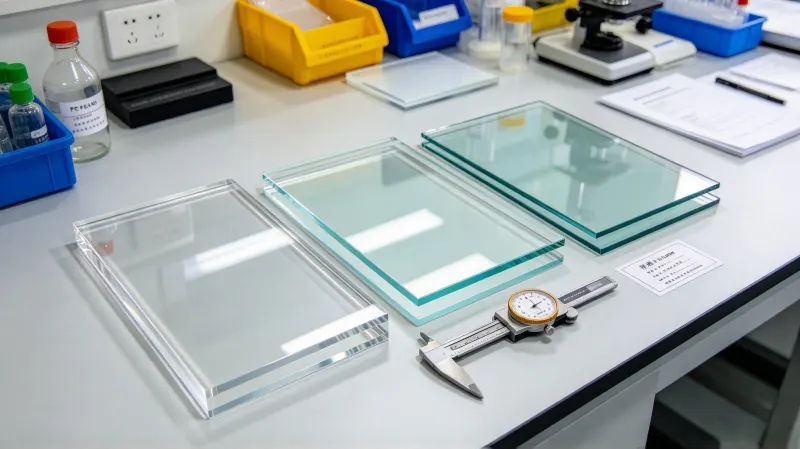
Choosing the right sheet specification is the foundation of a good barrier. Focus on three things: thickness, color/transparency, and panel structure.
2.1 Sheet thickness selection
Common thickness for medical isolation PC barriers: 2mm, 3mm, 4mm, 5mm, 6mm.
- 2~3mm: Small desktop barriers, temporary partitions, light use, low cost. Disadvantage: large sizes bend easily, not stiff enough;
- 4~5mm: Most common specification, used for most hospital windows, counters, and consultation desks, balancing rigidity, stiffness, weight, cost, and transparency;
- 6mm: Large-area barriers, scenarios needing stronger rigidity, or areas with frequent collisions. Thicker and stiffer, but heavier and more expensive.
Selection logic: If one side of the barrier exceeds 60cm, use at least 4mm, otherwise, the sheet may bow and deform. For small desktop or temporary barriers, 2~3mm is enough.
2.2 Color and transparency
- Fully transparent: Most mainstream, doesn’t block observation and communication, first choice for medical counters and consultation desks;
- Ultra-clear / HD: For scenarios with extremely high light transmission, choose HD PC sheet;
- Light color / frosted: For scenarios needing some privacy while retaining partial transparency.
2.3 Panel structure
Based on installation position and use scenario, medical isolation PC barriers mainly come in several types:
- Desktop vertical barrier: With a base (metal or acrylic base), standing on the desk, suitable for counters, front desks, and cashiers;
- Hanging barrier: Hung from the ceiling or partition top, suitable for large-space separation;
- Integrated desktop barrier: Barrier and desktop fixing base integrated, more stable;
- Barrier with pass-through opening: A semicircular or square opening at the bottom for passing documents and items while maintaining isolation;
- Barrier with talk hole: Opening a talk hole for communication.
Before purchasing, think clearly: where it will be installed, whether pass-through is needed, whether a talk hole is needed, whether it’s desktop or hanging — these determine the panel design and processing.
3. Processing Technology of Medical Isolation PC Barrier
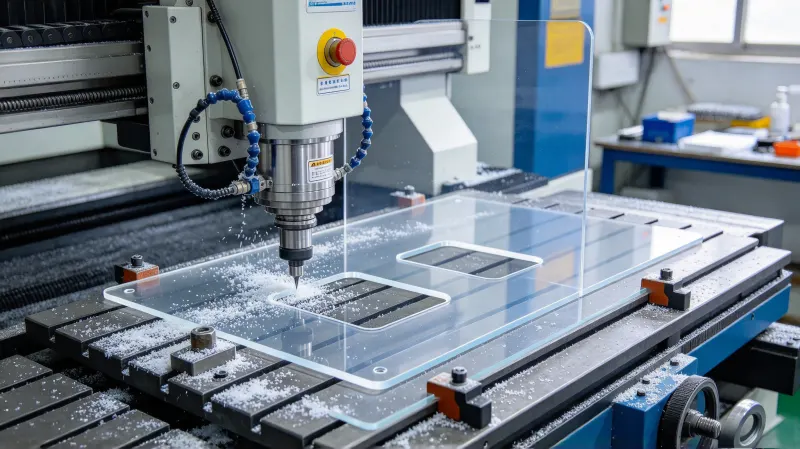
Barriers are not just bought as a raw sheet; they need processing according to on-site dimensions and structure. We commonly use the following processes for custom PC barrier processing.
3.1 Laser cutting / CNC cutting
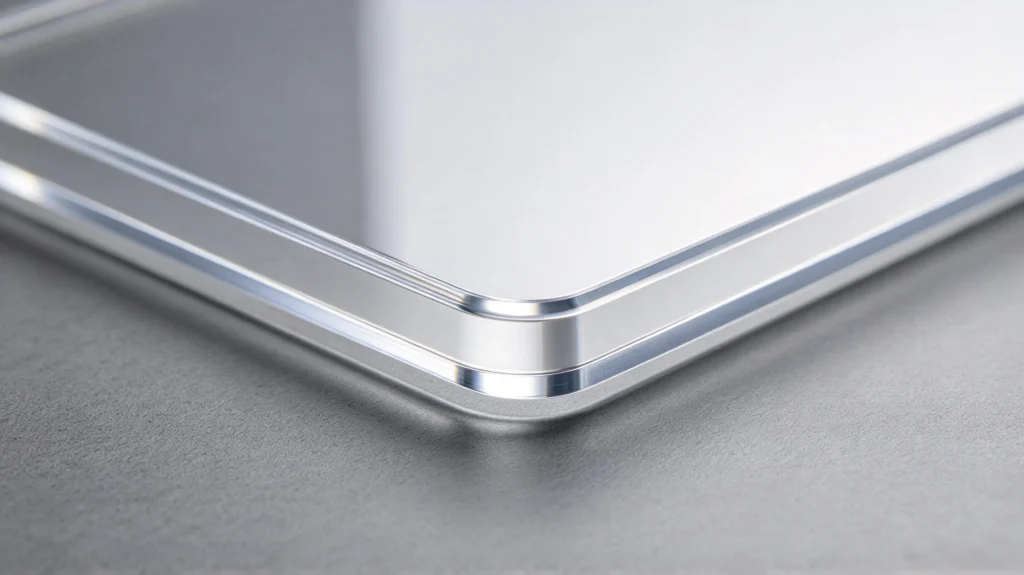
Cut PC sheets into barrier outlines per drawings, making irregular, curved, and notched shapes. Laserschneiden suits thin-to-medium sheets with smooth edges; CNC routing suits thick sheets and irregular parts with controllable edges. Transparent barrier edges are generally polished after cutting for a clear, good-looking edge.
3.2 Drilling and grooving
Barriers need mounting holes for fixing, and pass-through openings and talk holes need drilling and grooving. PC drilling and grooving require proper tool parameters to avoid chipping and cracking. The edges of pass-through openings and talk holes must be polished smooth to prevent cutting hands.
3.3 Thermoforming bending
Some barriers need bent edges and curved shapes, using Thermoformung to bend PC sheets. For example, L-shaped barriers (desktop + vertical combination), U-shaped enclosures, and curved barriers. Thermoforming creates more site-fitting three-dimensional barrier structures.
3.4 Edge polishing and deburring
The cut edges and hole edges of transparent PC barriers are edge-polished, removing burrs and making edges clear. This is both for appearance and to prevent burrs from cutting hands and hiding dirt.
3.5 Base and bracket matching
Desktop vertical barriers need bases, usually metal bases (stainless steel, aluminum) or acrylic bases. We provide matching bases and brackets, making complete deliverable barrier products ready for direct use.
Key keywords: laser cutting, CNC machining, drilling and grooving, thermoforming bending, edge polishing, base matching — six processing technologies for medical PC barriers.
4. Installation Methods of Medical Isolation PC Barrier
After processing, installation must also be done right, otherwise, barriers fall or wobble within days. Common installation methods:
4.1 Desktop vertical (base support)
Most common. The barrier bottom is inserted into or screwed to a base, which sits on the desk. Suitable for counters, front desks, and cashiers. Key point: the base must be stable and heavy enough; otherwise the barrier falls easily.
4.2 Clamp fixing
Use clamps or fixtures to clamp the barrier onto the counter edge or partition, without drilling holes into the surface. Flexible installation, suitable for temporary setup and rapid deployment.
4.3 Hanging / suspension
Hang the barrier from the ceiling or partition top with suspension rods or ropes, suitable for large-space separation, corridors, and waiting areas. Key point: hanging must be firm and balanced to prevent swaying.
4.4 Drilled screw fixing
Drill holes in the surface or partition and fix the barrier with screws. Most sturdy, suitable for long-term fixed use. Key point: enlarge PC holes to allow expansion, don’t tighten screws too hard to prevent temperature-change cracking.
No matter the installation, ensure the barrier is stable, doesn’t wobble, and has smooth edges. An unstable barrier poses a tipping hazard.
5. Cleaning, Disinfection & Maintenance of Medical Isolation PC Barrier
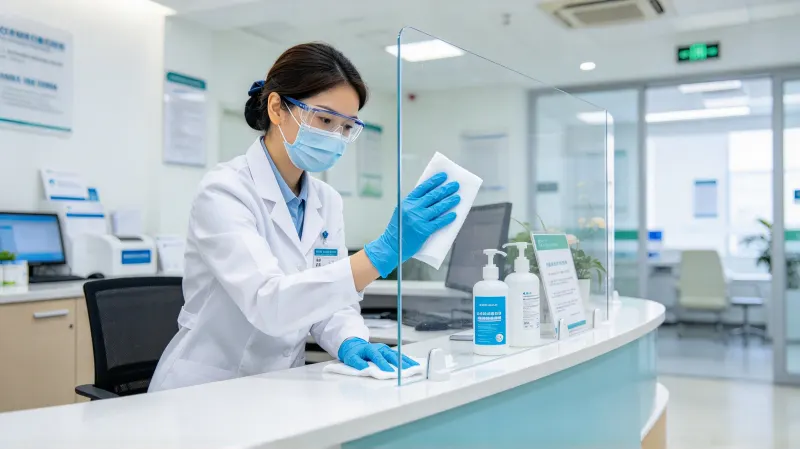
Medical barriers contact people daily, so cleaning and disinfection are daily essentials. If you clean PC correctly, it lasts long; if wrong, it scratches and cracks fast.
5.1 Recommended cleaning method
- Verwenden Sie mild neutral detergent + clean water, wipe with a soft cloth;
- For disinfection, use mild disinfectant wipes or diluted mild disinfectant solution (e.g., certain low-concentration quaternary ammonium compounds, diluted chlorine-based disinfectants per instructions);
- Daily wiping is enough; avoid strong corrosive cleaners.
5.2 Cleaning methods to avoid (key point)
- No strong solvents: Acetone, thinners, and banana oil corrode PC, causing surface whitening and crazing;
- No strong alkali/acid: Concentrated disinfectant or alkali corrodes the sheet;
- No steel wool, hard brushes, or sandpaper: They scratch transparent PC, reducing transparency and hiding dirt;
- Avoid high-temperature disinfection: PC is not resistant to high-temperature steam or boiling water, don’t disinfect with high heat.
Reminder: If you’re unsure whether a disinfectant is safe, test it on a small corner first, then use it widely if no problem. This is the safest approach.
6. Acceptance Points for Medical Isolation PC Barrier
When receiving barriers, check the following to avoid pitfalls:
- Dimensions: Whether outer dimensions and thickness are correct and match the site;
- Cut and edges: Whether the cut is smooth, without burrs or sharp edges, and whether edges are polished and clear;
- Holes: Whether mounting holes, pass-through openings, and talk holes are correct in position and size, and edges are smooth;
- Transparenz: Whether the sheet is clear, without obvious scratches, bubbles, or impurities;
- Structure: Whether the base is stable, whether the barrier is stiff and unbowed after assembly;
- Material: Confirm virgin PC sheet (not recycled), request material certificate if needed.
7. Application Cases of Medical Isolation PC Barrier in Epidemic Prevention
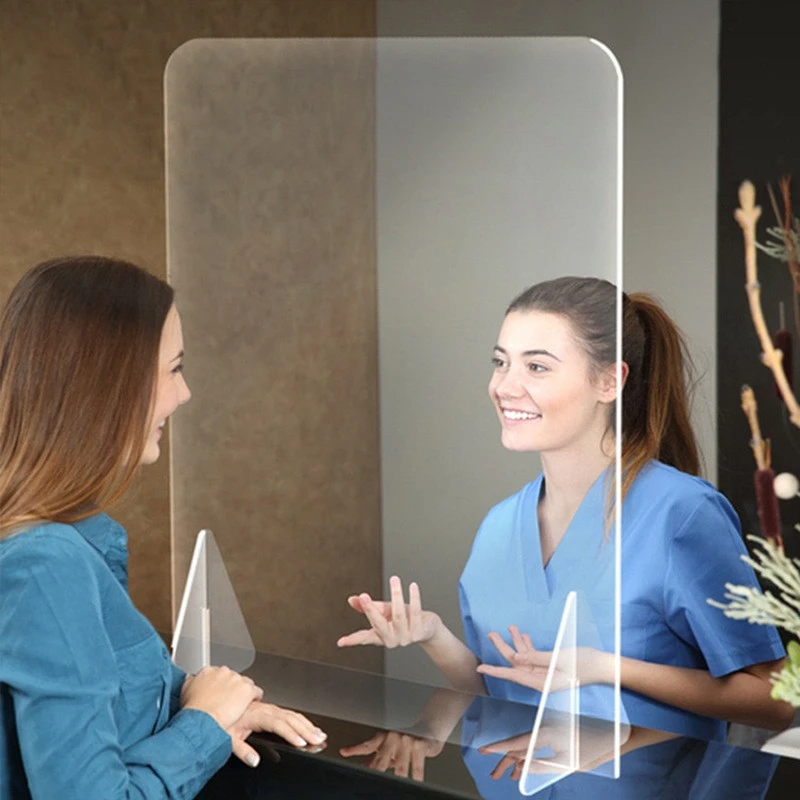
Based on our actual project experience, medical isolation PC barriers are widely applied in epidemic prevention scenarios:
- Hospital registration/charging/pharmacy windows: Barriers in front of windows separate medical staff and patients, desktop or clamp style, with pass-through openings for passing registration forms and medicines;
- Clinic/outpatient consultation desks: Barrier on the desk adds a barrier between doctor and patient;
- Dental clinic desks: Oral treatment produces many droplets, dental desk barriers focus more on droplet blocking, often larger in size;
- Pharmacy counters: Separate pharmacists from customers;
- Bank counters/government halls: Barriers in front of windows, with pass-through openings, maintaining service efficiency while isolating;
- Corporate front desks/cashiers: Barriers at front desks and cashiers protect employees;
- School clinics/physical examination centers: Isolation at waiting and blood-drawing windows;
- Mobile/emergency epidemic prevention points: Temporary sampling, testing, and consultation points, using hanging or clamp barriers for rapid deployment.
We have done all these scenarios. Customers provide dimensions, we process them into finished barriers with pass-through openings, talk holes, and bases, ready for direct installation and use.
8. YUCHENG Board Industry: One-Stop Medical Isolation PC Barrier Custom Processing
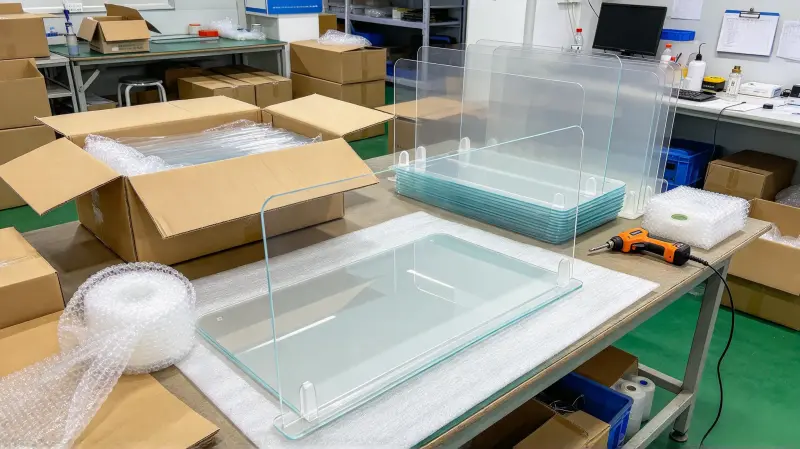
If your medical institution, clinic, counter, or epidemic prevention point needs medical isolation PC barriers, we can handle it all in one place.
- Sheet supply: Provide high-transparency PC sheet for medical scenarios, with flame-retardant and scratch-resistant (hard-coated) grades available, virgin material for guaranteed quality;
- Full processing: Laser cutting, CNC machining, drilling and grooving, thermoforming bending, edge polishing, pass-through opening and talk hole fabrication, all completed in our factory;
- Base and bracket matching: Provide matching metal or acrylic bases and brackets, making complete finished barriers ready for direct use;
- Drawing and dimension support: Provide dimensions, drawings, or on-site photos. We help design the panel and structure, telling you what thickness, whether pass-through is needed, and how to fix it best;
- Prototyping support: Before mass orders, we make samples first to confirm dimensions, transparency, and structure, then mass-produce once approved;
- Industries served: Hospitals, clinics, dental clinics, pharmacies, banks, government halls, corporate front desks, and school clinics — with mature case experience.
If you have a medical isolation barrier project, whether one or two or large orders, tell us the dimensions and use scenario. We will tell you what thickness is needed, whether pass-through and talk holes are needed, desktop or hanging, how to install, and how to clean, helping you make barriers right, stable, and useful.
9. FAQ
Q1: For medical isolation barriers, PC sheet or acrylic?
A: Medical scenarios prefer PC sheet. PC is impact-resistant, not easily broken, and safe; acrylic is brittle and cracks easily. PC is more durable and safer. Although acrylic is slightly more transparent, safety comes first for medical barriers.
Q2: What thickness is right for medical PC barriers?
A: For small desktop/counter barriers 2~3mm is enough; regular windows and consultation desks use 4~5mm; large areas or high-collision areas use 6mm. If one side exceeds 60cm, use at least 4mm.
Q3: Can PC barriers be disinfected? How?
A: Yes. Use mild neutral detergent oder diluted mild disinfectant solution with a soft cloth. Do not use strong solvents, strong alkali/acid, steel wool, or high-temperature steam, which corrode or scratch the sheet.
Q4: Do pass-through openings and talk holes reduce protection?
A: Pass-through openings and talk holes are designed openings — small and reasonably positioned, they facilitate passing and communication while retaining the main droplet isolation. Choose opening position and size per scenario.
Q5: Can large-batch medical barriers be custom-sized?
A: Absolutely. We support custom sizing per on-site dimensions. Irregular, curved, with pass-through and talk holes, with bases — all possible. Sample confirmation before mass production.
10. Conclusion
Medical isolation polycarbonate (PC) barrier is a simple but critical protective facility in epidemic prevention scenarios. Remember these points to select, install, and use correctly:
- Choose PC sheet first — impact-resistant and non-shattering, transparent, lightweight, easy to process, easy to clean, safe and durable;
- Choose the right specification — counter small barriers 2~3mm, regular windows 4~5mm, large areas or strong collisions 6mm;
- Process properly — polished edges, smooth pass-through and talk holes, stable base, so the finished product is safe and useful;
- Clean correctly — mild detergent with soft cloth, avoid strong solvents, steel wool, and high temperatures;
- Find the right factory — one that completes sheet, processing, and base matching in one stop, saving worry and ensuring reliability.
For epidemic and daily protection, barriers are important physical shields. A good medical PC barrier adds peace of mind for patients, customers, and employees. If you are working on a medical isolation barrier project, welcome to contact us. From sheet processing to installation advice, we help you check every step.